CloudShark 5.2.0
May 28th, 2026
We are excited to announce CloudShark Enterprise 5.2, a release that expands what you can do with CloudShark and how you can integrate it. The new Deep Search API opens CloudShark’s cross-file search to external tooling and automated analysis pipelines, and a new Conversation Graph brings visual traffic exploration to every capture.
Administrators can now manage SNMPv3 decryption credentials, custom SNMP MIBs, and Lua dissector plugins directly through the web UI, with no shell access required. This release also adds support for modern Redis-compatible backends like DragonflyDB, giving organizations more flexibility in their infrastructure choices.
Read on, and let us know what you think!
What’s New
Deep Search API
curl -X POST https://cloudshark.example.com/api/v2/deep_search/ \
  -H "Authorization: <token>" \
  -H "Content-Type: application/json" \
  -d '{ "display_filter": "dns" }'
CloudShark’s Deep Search capability is now accessible programmatically via the v2 API. Submit a display filter and an optional pool of capture files, and CloudShark returns every matching packet — across your entire repository by default. Results can be paged, chained into follow-up searches, and integrated into external tooling or automated analysis pipelines.
See the Deep Search API documentation for endpoint reference and examples.
Search Packet Annotations
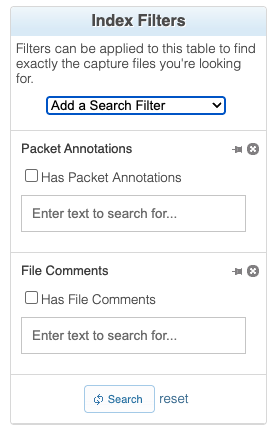
You can now search for text within packet annotations across your capture files using CloudShark’s Search APIs. Annotations and comments made during packet analysis are indexed and searchable, making it easier to surface captures where your team has already noted relevant behavior. See the packet annotations parameter documentation for details.
Conversation Graph
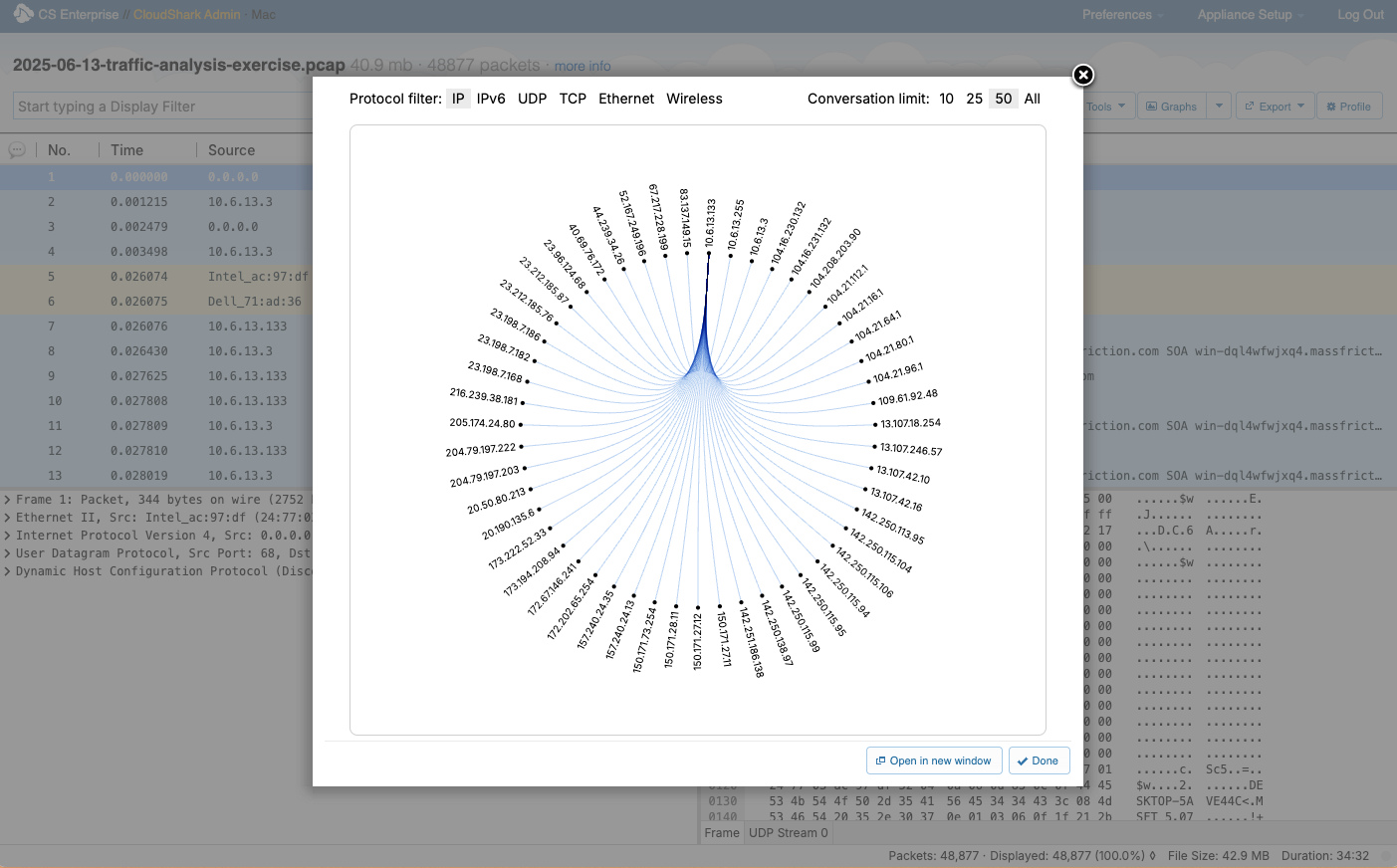
A new Conversation Graph analysis tool is available from the Analysis Tools menu on any capture. It displays a visual graph of the conversations between hosts in the capture file. Clicking a node or edge in the graph applies a display filter scoped to that conversation, making it easy to drill into specific traffic flows.
SNMPv3 Decryption in Capture Profiles
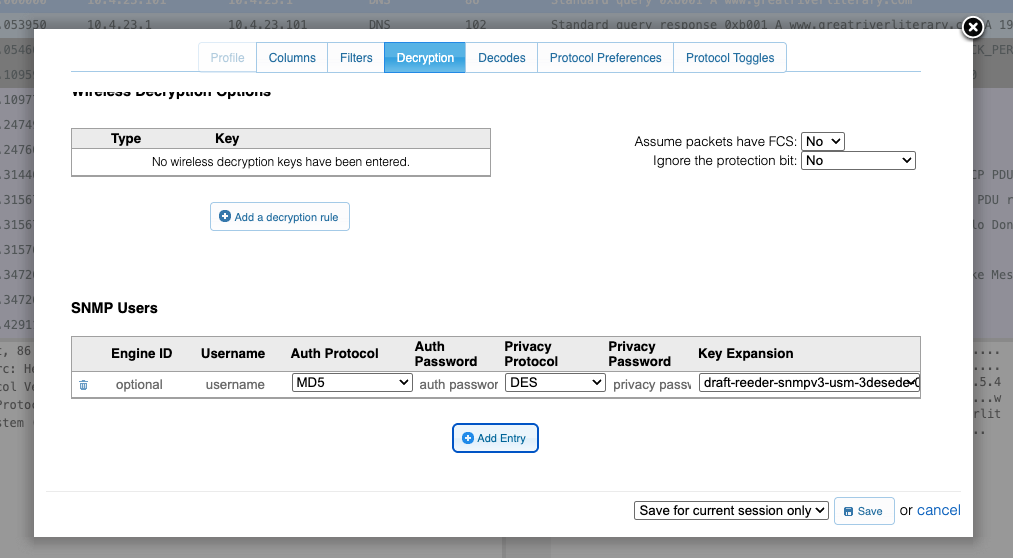
Capture profiles now support configuring SNMPv3 decryption credentials. When present, CloudShark will automatically decrypt SNMPv3 traffic in your capture files so it is fully dissected in the packet viewer.
Web-Based Plugin and MIB Management
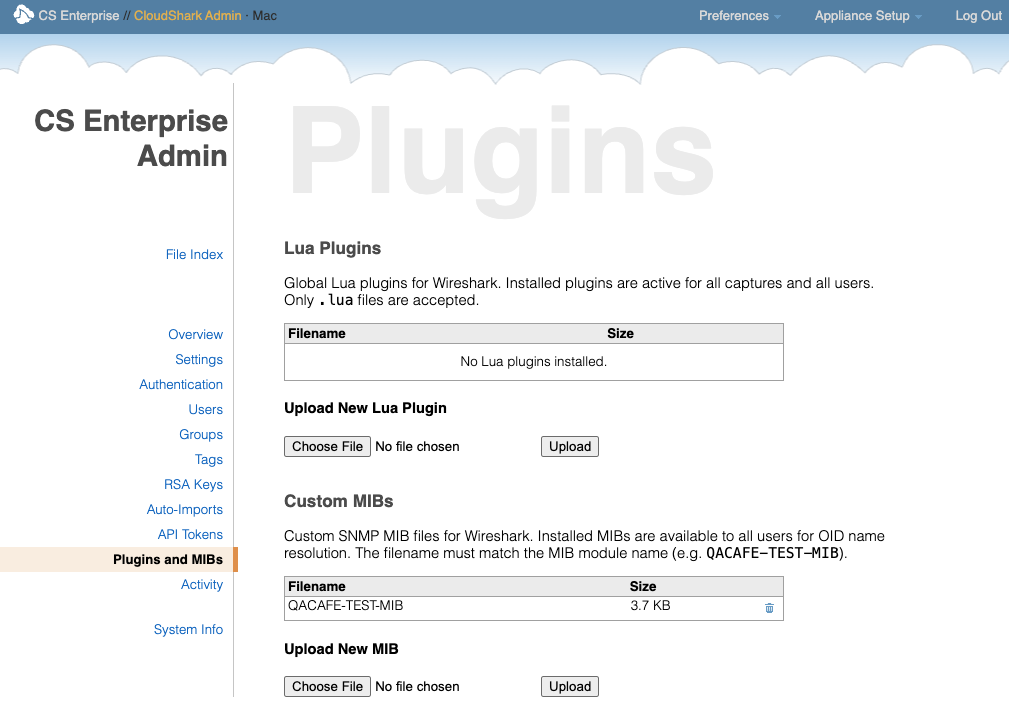
Administrators can now manage Lua dissector plugins and custom SNMP MIBs directly from the CloudShark web UI. Upload a custom Lua dissector to extend Wireshark’s protocol support, or add a vendor-specific MIB to resolve proprietary OIDs in captured traffic. Installed plugins and MIBs are available immediately, system-wide, for all users.
mTLS Support for OAuth (GitLab)
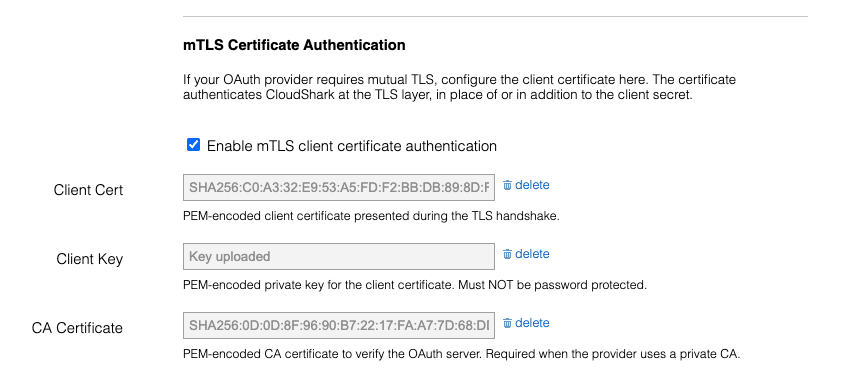
CloudShark’s OAuth integration with GitLab now supports mutual TLS (mTLS) client certificates, enabling authentication in environments that require certificate-based client identity verification.
System Changes
GeoIP Databases Removed
CloudShark no longer bundles MaxMind GeoIP2 databases. Geolocation features (the GeoIP World Map, country data in the Endpoints tool, and the Threat Assessment map view) continue to work, but require you to install GeoIP databases yourself. See the GeoIP World Map documentation for installation instructions.
Memcached Removed
CloudShark no longer uses Memcached for caching. All caching is now handled by Redis, which CloudShark has used for several years. This simplifies the system architecture and removes a legacy dependency. If you manage your own deployment, you may safely remove the Memcached service from your Docker Compose file or equivalent services configuration.
DragonflyDB Support
CloudShark now supports DragonflyDB as a drop-in Redis-compatible backend. Organizations that run DragonflyDB in their infrastructure can point CloudShark at it directly without any other configuration changes.
System Component Upgrades
- Wireshark 4.6.5
- Packet Viewer 2026.04
Bug Fixes and Other Changes
- Fixed an issue where a Threat Assessment alert missing source, destination, or protocol information would cause an exception when running the assessment.
- Fixed a Lua scripting error in the Wireless Networks plugin that occurred with Wireshark 4.6.4.
- Fixed an issue preventing capture profiles with certain column display types from being correctly imported or displayed.
Upgrading
CloudShark Enterprise 5.2 is available to download as an OVA disk image ready to import into VMware or compatible platforms.
Customers running CloudShark Enterprise 5.x can upgrade by following the OVA Upgrade Guide.
If upgrading from CloudShark Enterprise 3.15, please see our detailed migration instructions for moving your existing data and settings to the new OVA deployment outlined in the OVA Migration Guide.
